
From client requirement to vendor payment in one system. Sourcing, VMS/MSP submissions, onboarding, timesheets, invoicing and ACH payments, built for the way staffing desks actually work.
Demo and trial requests go to sales@hrmsportal.com. Self-serve sign-up is coming soon.
Real product screen with sample data
Most staffing desks retype the same requirement into a tracker, a job board, a client portal, an onboarding email and an invoice. HRMS Portal keeps one record from intake to payment.
Six stages, one record. Each step picks up where the last one left off.
From VMS/MSP portals, client emails or added by hand
Internal database, Monster, Dice, mass mail, AI fit
RTR e-sign, auto-submit to client portals
Document packets, e-sign, background checks, Teams ID verification
Timesheets with approvals become client invoices
Vendor invoices, ACH/NACHA files, bank matching
Your invoices, client payments and vendor bills already live in HRMS Portal, next to your payroll records, and they post to the ledger automatically. There is no need to pay for, and double-enter into, a separate package such as QuickBooks or Sage.
| Staffing revenue | $100,000.00 |
| Contractor & vendor costs | ($75,000.00) |
| Gross profit | $25,000.00 |
| Operating expenses | ($10,000.00) |
| Net income | $15,000.00 |
Illustration with sample numbers, not customer data
Create invoices from approved timesheets, email them, receive client payments, and track unpaid and pending invoicing.
Vendor invoices, expenses and credits, overdue and unbilled tracking, and vendor payments by ACH/NACHA file.
Payroll reports and payslip listing, plus payroll import. HRMS Portal does not run payroll or file payroll taxes.
Requirements, resume searches and submission forms are pre-filled from the requirement, so recruiters spend their time on candidates, not data entry.
Portal statuses flow back into HRMS Portal automatically, forward-only, so final statuses are never overwritten. Each client’s required fields are enforced before anything is sent.
“Requirements Not Covered”, Beeline Req Watch alerts and tier-2 auto-backfill make sure no open job is forgotten.
Candidates and vendors fill and sign everything from one secure link. HR sees what is still missing. Video identity verification over Microsoft Teams: HRMS schedules the call after the background check, saves the recording, and captures stills of the ID shown on camera.
Timesheets, invoices, vendor bills, ACH files and bank feeds sit in the same system as the placement.
60+ built-in reports, plus daily lead and recruiter tracking emailed on a schedule.
Start from the requirement and the submission form is already filled in: the job, the client’s own questions and required fields, and the details parsed from the resume. Before you send, AI Fit Assessment scores the candidate against the job description, so recruiters spend their time on the right people.
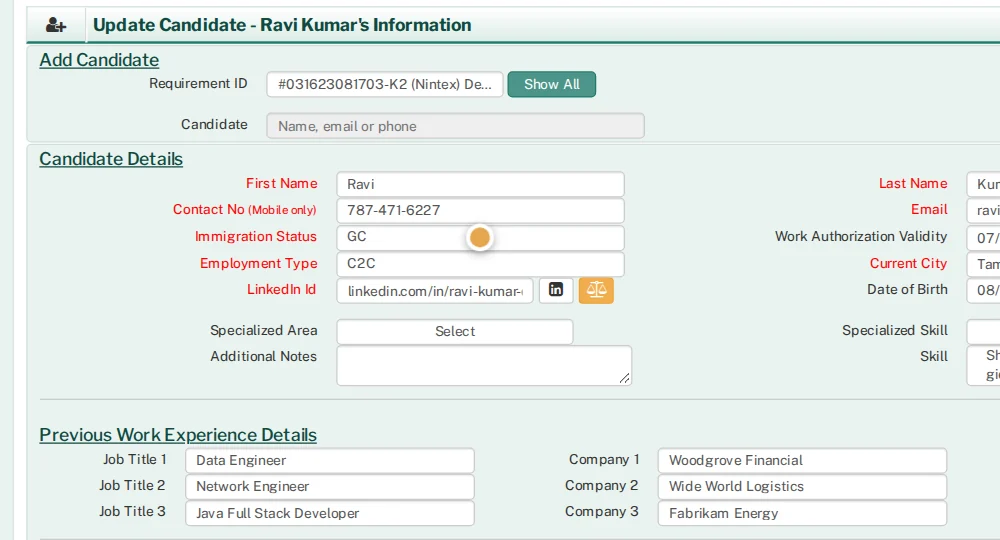
HRMS Portal works with VMS/MSP portals such as Beeline. It submits candidates straight from HRMS Portal, picks up submissions made directly on the portal, and moves your status forward when the portal does: interview, hiring-manager review, offer.
Lead Daily Entry and Daily Recruiter / Lead Tracking turn HRMS Portal activity into the tables managers ask for: requirements covered, submissions, interviews, rejections, resume searches and mass-mail volume. They can be emailed on a schedule.

Consultants submit hours from a secure link, with weekly and monthly calendar views. Attach the client or manager approval, track approved and unapproved hours, chase missing timesheets automatically, and create client invoices from approved time.

Captured from the product with sample data. Names, companies and emails are fictional.
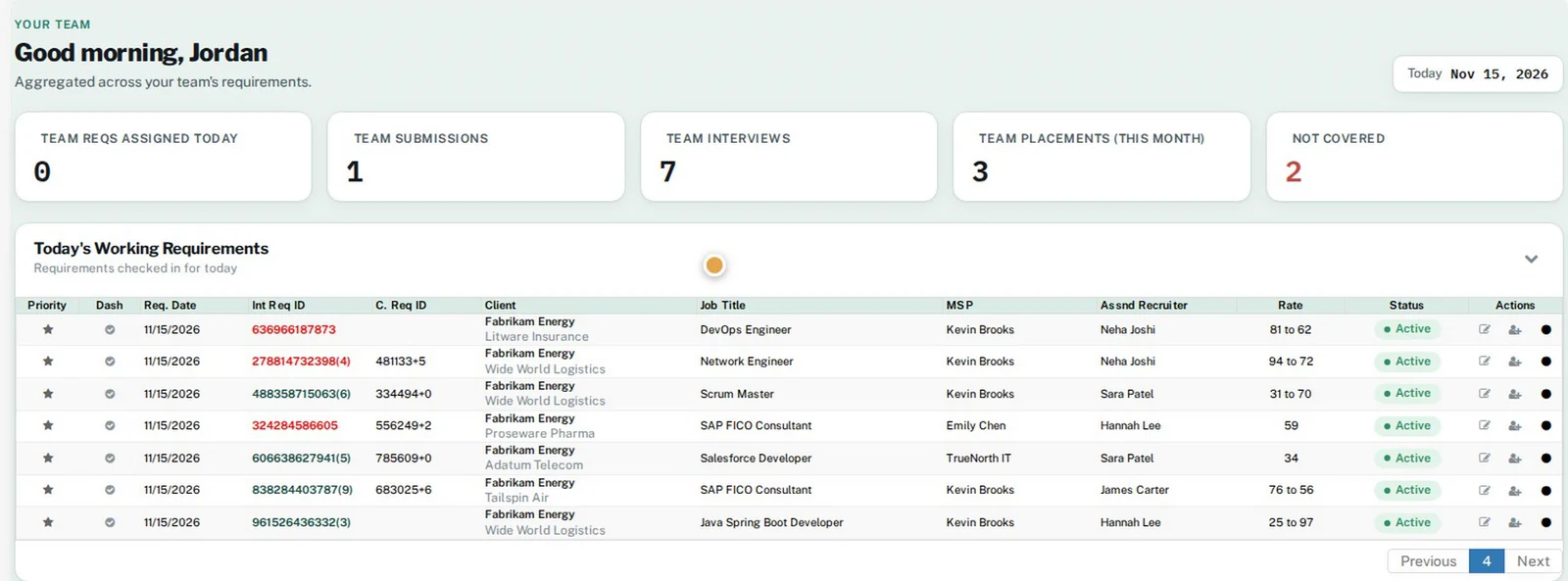
Every role opens to its own dashboard. Leads see requirements assigned today, the team's submissions, interviews and placements, and which requirements are still not covered.
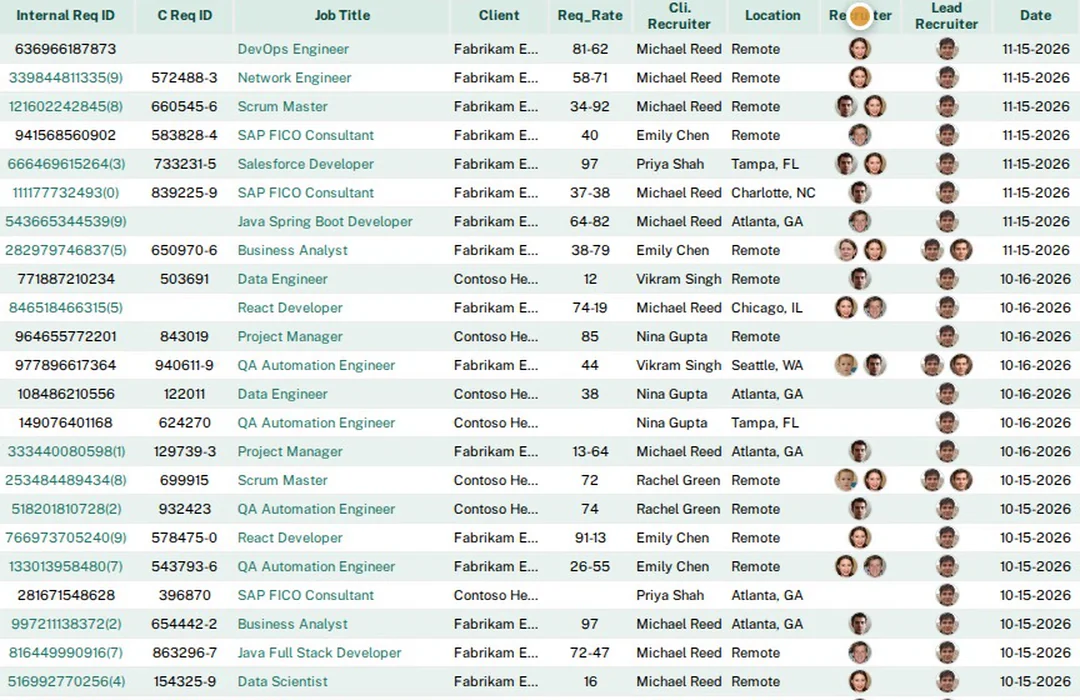
One requirements grid: who is working each job, its status, job-board posting, matching-candidate counts, and quick actions.
Add a candidate or re-propose an existing one from the requirement. The form is pre-filled, client questions are built in, and AI Fit Assessment is one click away.

Assigned, covered, submitted, no-submission, rejection and placement counts per recruiter, for any date range. Click any number to drill into the requirements or candidates behind it.
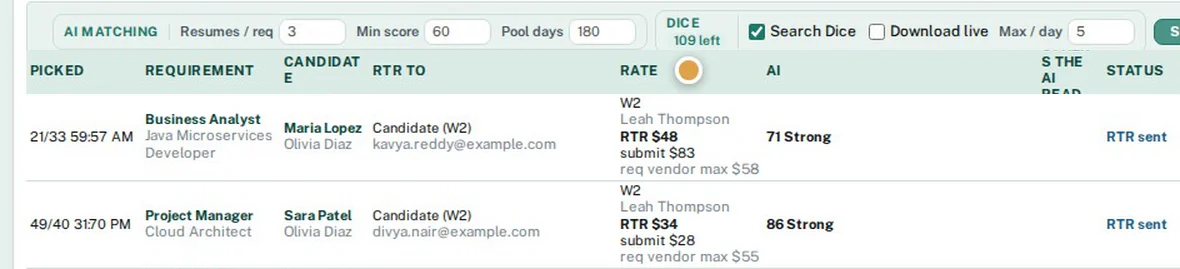
For open requirements nobody has covered, AI ranks your recent resumes, sends a pre-filled RTR for e-signature, and submits once it is signed.
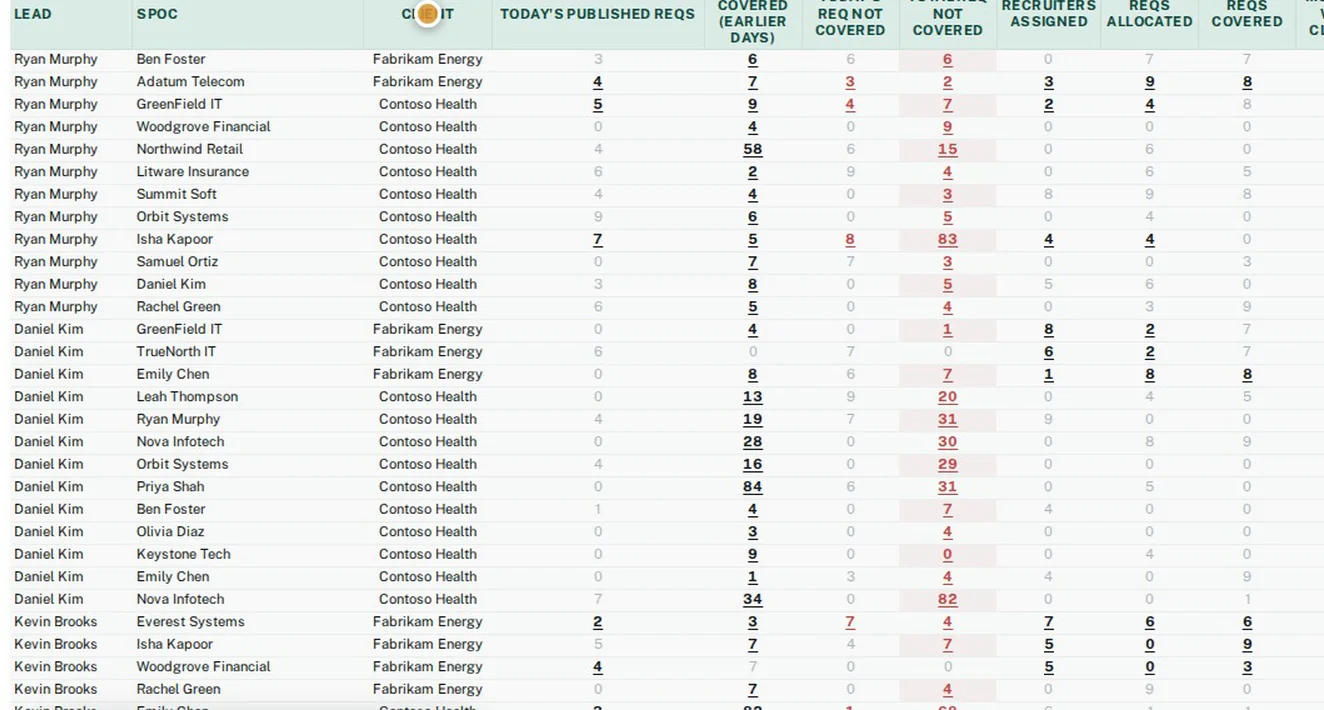
The daily sheet your leads used to fill by hand, built from HRMS data and emailed on a schedule.
A month at a glance: hours per day, holidays, leave and missing days, with weekly and monthly totals.
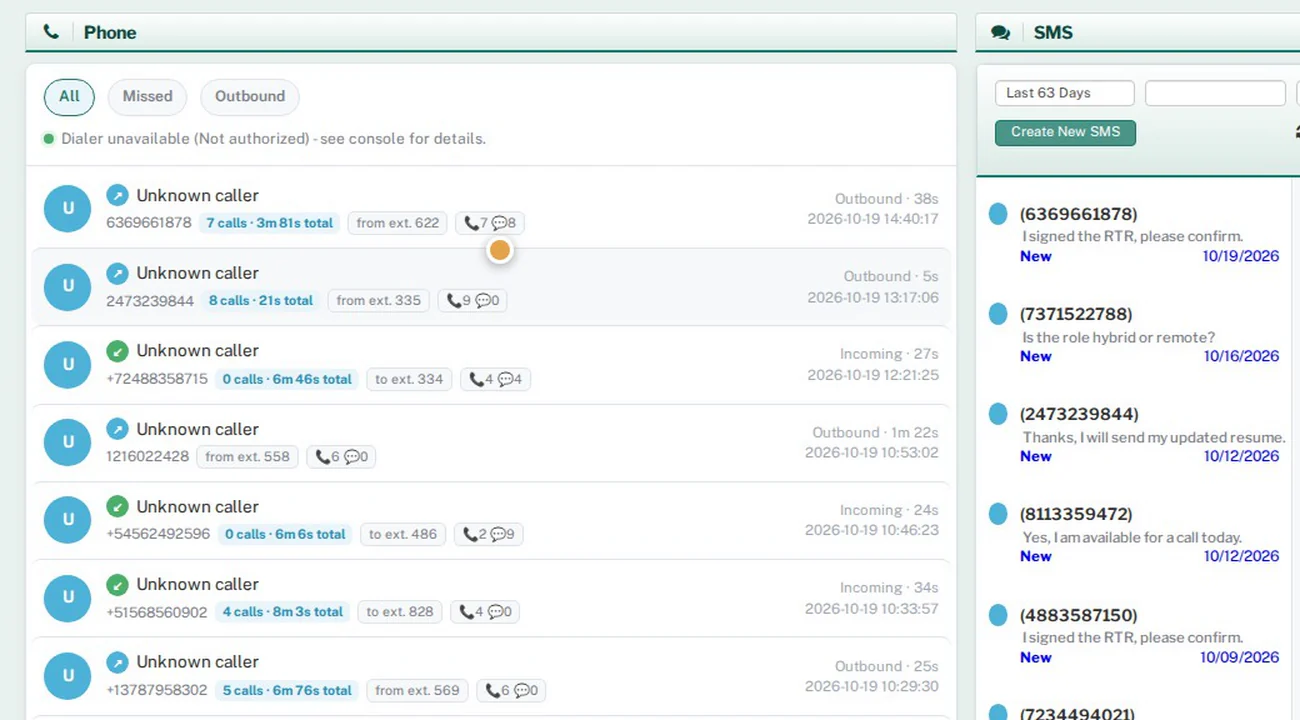
VoIP calling and VoIP SMS in one place, with delivery status and per-recruiter visibility.
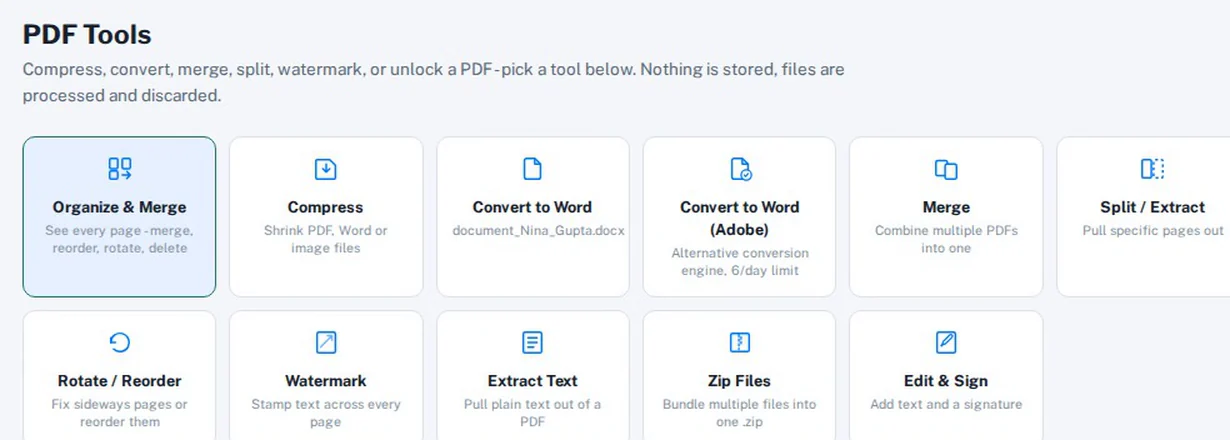
Merge, split, compress, convert to Word, watermark, unlock, and edit & sign PDFs without leaving HRMS Portal.
Connections that exist in the product today. Named integrations use your own account with that provider. The rest are built-in services, switched on per customer.
Your own private HRMS Portal is created automatically, usually in about a minute once we start it.
Book a demo. We look at your desks, clients and VMS/MSP portals together.
A separate database, your own storage bucket, and yourcompany.hrmsportal.app with HTTPS.
Your first admin gets a sign-in link, then adds users and picks roles and access rights.
Import candidates, clients and vendors with field mapping, connect integrations, and start working.
Real product screens with sample data. Names, companies and emails are fictional.
IT staffing and recruiting firms that place contractors, especially firms working through VMS/MSP programs and tier-2 vendor networks. It covers the front office (recruiting) and the back office (onboarding, timesheets, billing, payments) in one system.
Yes. Each customer gets its own database, its own storage bucket and its own web address (yourcompany.hrmsportal.app). See Security & data.
The product submits to and syncs statuses with VMS/MSP portals such as Beeline, and with other supplier portals. Each program is set up for your account. Ask us about the portals you use.
Not for day-to-day bookkeeping. The general ledger, Profit & Loss, Balance Sheet, bank reconciliation, receivables, payables and 1099-NEC filing are built in, and invoices, payments and vendor bills post automatically. Your accountant can work from the reports, or export them to CSV. HRMS Portal does not process payroll or file payroll or income taxes; it imports payroll records from your payroll provider.
Plans are being finalized. See Pricing or contact us for a quote.
Yes. Use “Start free trial” to email us and we will set up a trial site for you. Self-serve sign-up is coming soon.
Yes. HRMS Portal has an import module with field mapping and import logs for candidates, clients, vendors and more. We help with the first import.
A built-in training video library has role-based guides, for example a full recruiter guide and a lead guide. Videos can also be shared securely with people outside the system.
Bring us one live requirement and we will walk it through the whole flow with you: intake, sourcing, submission, onboarding, timesheets and billing.
Both buttons open an email to sales@hrmsportal.com. Self-serve sign-up is not live yet.